New Lecture Video Playback Features for the New Year
Students spend a lot of time watching lecture videos in CoursePlus. Faculty and the Center for Teaching and Learning work hard to ensure that these videos are of the highest quality.
The CoursePlus team has implemented two new features to make the lecture playback experience better for students.
First, you can enable an auto-play option that, when enabled, will automatically take you to the next section of a lecture when the current section ends.
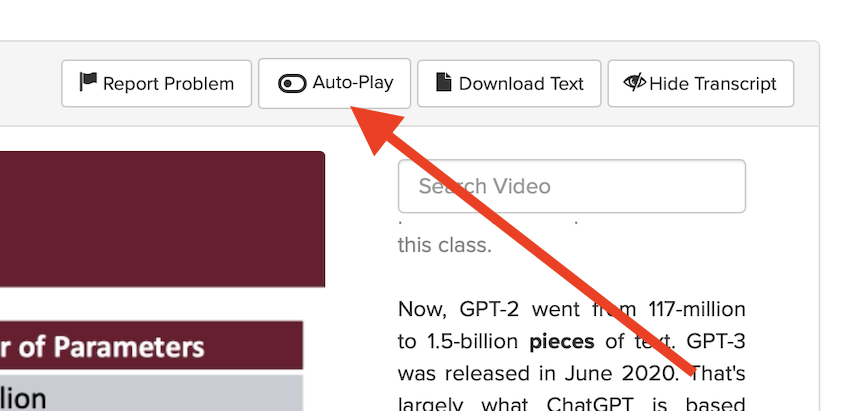
Enabling this option does not cause playback to continue across lectures – only from one section of a lecture to the next. Additionally, browser security prevents auto-play of video or audio content on a page without your express consent. This means that while the auto-play option will automatically take you to the next section in a lecture, playback of the next video will not automatically start. Some will point out that this is allowed on YouTube, but YouTube is so large and powerful that browser vendors allow (or “whitelist”) YouTube as a site that can have automatic playback of video or audio. You must still click the “Play” button on the video to get the video to start playing back. There is a browser setting you can change to allow video to play back automatically on CoursePlus, and doing this, combined with enabling the auto-play option, will result in true automatic playback of one lecture section after another.
Second, you can now jump forward or back 15 seconds in the lecture video playback by either clicking the circular arrow icons in the video player or pressing the right arrow (to jump forward) or the left arrow (to jump backward) on your keyboard.
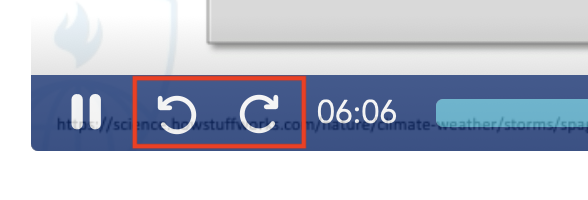
Alternatively, you can double-click the right side of the video to go forward 15 seconds, or double-click the left side of the video to go back 15 seconds.
This new “jump forward/back” feature fulfills a longstanding request from students about lecture playback.
We hope that these changes improve the lecture video viewing experience in CoursePlus. As always, if you have questions about this change, please reach out to the CTL Help team, and we will be happy to answer any questions you might have.